Drop a green-screen image or video here, or
Tip: click anywhere on the preview to sample that color as the key color.
Green screen software turns a solid-color backdrop into a transparent cut-out or a swapped background. The right tool depends on your workflow: heavy video edits want a desktop suite, while a quick one-off cut-out is better done in a browser with no install.
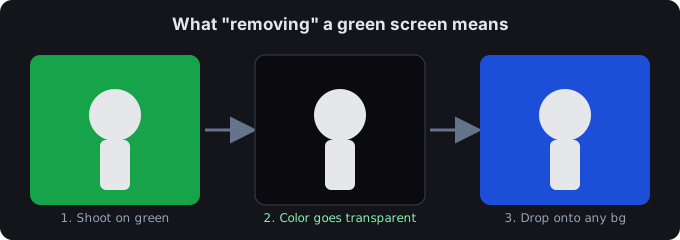
Types of green screen software
- Desktop video editors. Premiere Pro, DaVinci Resolve, and Final Cut Pro ship chroma-key effects (Ultra Key, Delta Keyer, Keyer) built for multi-track timelines — the deep option for full productions.
- Photo editors. Photoshop keys a solid backdrop via Color Range, which is great for stills.
- Online & browser tools. No install, runs on any device, and ideal for a single cut-out — like the tool on this page.
- Mobile apps. Phone apps offer clip-on backdrops and keying filters you can use on the go.
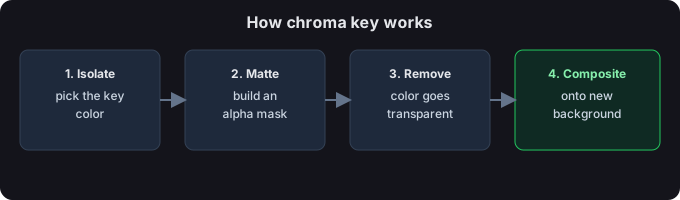
What to look for in green screen software
- Real chroma key — a true color key, not just a fuzzy background blur.
- Transparent export — PNG for images, WebM or a PNG-sequence for video.
- No watermark on the free tier.
- Privacy — client-side processing means your files never leave the device.
- Price — free options exist for light use, so you don't pay for a one-off task.
Try it free in your browser
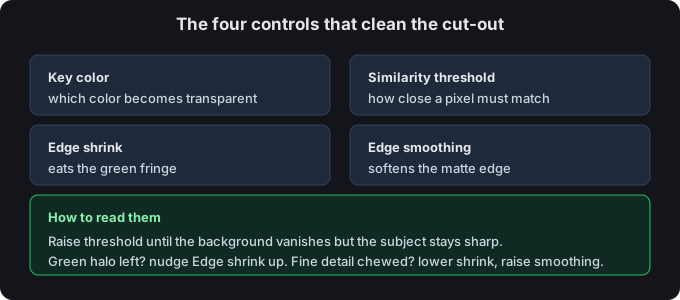
For a quick cut-out, skip the download: drop your file above, keep the green preset, adjust Similarity threshold, and export a transparent result. Images become a transparent PNG; video becomes a transparent WebM or PNG-sequence zip. Everything runs on your device.
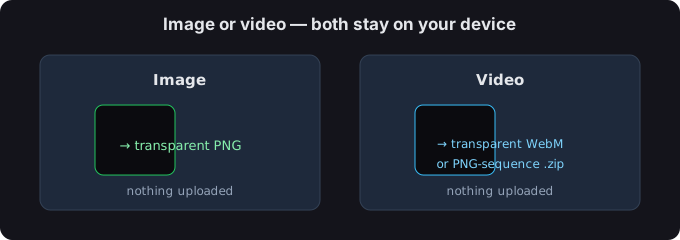
Image or video?
Still image? You get a transparent PNG. Video? You get a transparent WebM or a PNG-sequence zip. Both are processed on your device — nothing is uploaded.
Tips for a clean edge
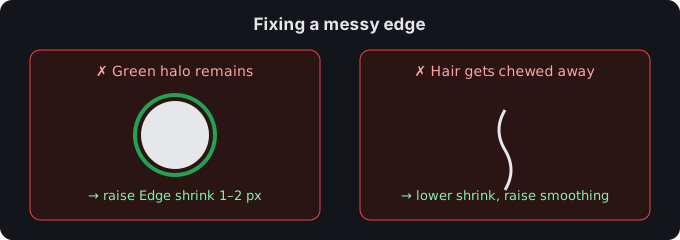
- If a green halo remains, nudge Edge shrink up by 1–2 px.
- If hair or fine detail gets chewed away, lower Edge shrink and raise Edge smoothing.
- You can click the preview to sample any color as the key — handy for uneven or lit backdrops.
Common questions
What is the best free green screen software?
For quick, private cut-outs, a client-side browser tool (like this one) is hard to beat: no install, no watermark, no upload. For full video production with timelines and effects, a desktop suite is the deeper option.
Is there a green screen app?
Yes — mobile apps and browser tools both qualify. A browser tool is the flexible pick because one link works on phone, tablet, or desktop.
Are my files uploaded?
No. Everything runs in your browser; we never receive your media.