Need a clean green or blue backdrop for a shoot, a Zoom virtual background test, or a monitor-as-green-screen setup? Download a solid-color image below. These are generated by us — not pulled from a stock library — so you can use them anywhere. After you save one, drop it into the green screen background remover or the green screen app to key it out.
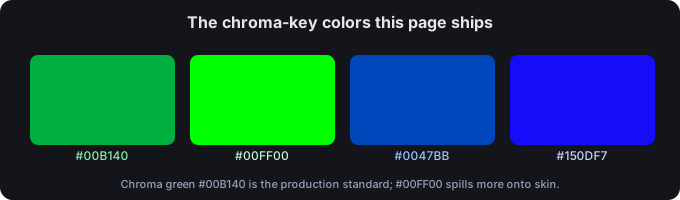
Chroma-key color values (with sources)
The exact "green screen color" is not one number — production sources converge on a chroma green that is duller than pure green, because pure green reflects so hard it spills onto your subject. Here are the values this page ships, each with a source you can open:
| Use | Hex | RGB | Cited source |
|---|---|---|---|
| Chroma key green (most common production value) | #00B140 | rgb(0, 177, 64) | filmdaft.com, hypertexthero.com, and black-screen.dev all give #00B140. |
| Pure green (OBS default; more spill) | #00FF00 | rgb(0, 255, 0) | black-screen.dev notes #00FF00 keys but throws more green spill on skin and hair than #00B140. |
| Chroma key blue | #0047BB | rgb(0, 71, 187) | hypertexthero.com lists #0047BB as the blue-screen hex. |
| Blue screen (alternative) | #150DF7 | rgb(21, 13, 247) | color-name.com lists #150DF7 for "blue screen". |
Why the spread? Some color-naming sites attach their own hex to the phrase "green screen" (e.g. #04F404, #22FF00) — those are decorative entries, not chroma standards. The three production sources above agree the chroma standard is #00B140. When in doubt, key against #00B140 for green and #0047BB for blue.
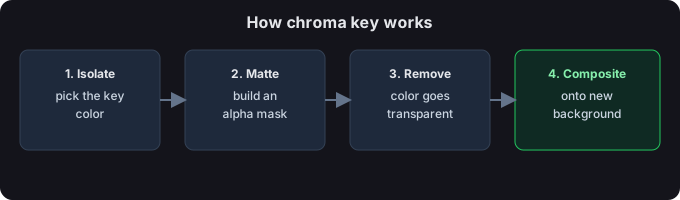
When green, when blue?
- Green, usually. Camera sensors capture about twice as much green as red or blue, so the green channel carries the most detail and least noise — cleanest edges. Green is also rare in clothing, so less risk of your shirt turning transparent.
- Blue, for green subjects. If your subject is green (foliage, a green costume) or you are shooting a night scene, switch to a blue backdrop so the key color is not also in your subject.
- Blue, for fine detail. Film work with lots of blonde hair or translucent edges sometimes prefers blue because it sits farther from skin tones.
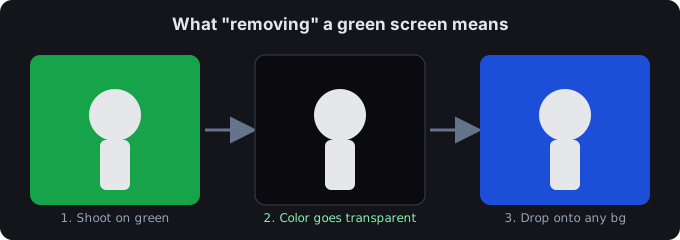
How to use a downloaded background
- As a real backdrop. Display the image full-screen on a TV, monitor, or tablet behind you (use the Full screen button on any card, or open the file). Lower brightness to ~50–70% to cut spill, and keep at least 30 cm between you and the screen.
- As a video layer. Drop the PNG/JPG onto a timeline as a keyable layer, then chroma-key it in your editor. Same color values as above.
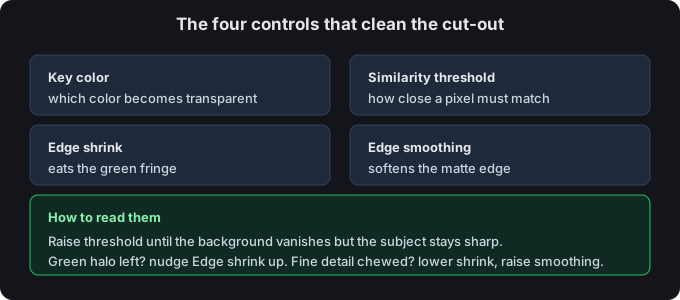
- Then remove it. Load the result into the background remover or the browser app to turn the color transparent — no desktop software needed.
Common questions
Are these backgrounds free to use?
Yes. They are generated by us as plain solid colors, free for personal and commercial use, no watermark, no attribution required.
Which color should I download?
For most streaming and YouTube work, chroma green #00B140. Use blue #0047BB only if your subject contains green or you are matching a film-night look.
What size do I need?
Phone/tiktok vertical → 1080×1920. Square social → 1080×1080. Desktop capture / webcam → 1920×1080 or 2560×1440. All four are in the card above.
PNG or JPG?
PNG keeps the exact flat color with no compression artifacts — best for keying. JPG is smaller if you just need a wallpaper or a layer you will not zoom into; we saved it at quality 95 with no chroma subsampling to stay close to the true color.
Start from the tool
Back to the green screen tool, or open the green screen app that runs in your phone browser, or the background remover to key out what you just downloaded.