Drop a green-screen clip or image here, or
Tip: click anywhere on the preview to sample that color as the key color.
Green screen footage is video shot against a solid backdrop so the background can be removed and replaced. Templates are pre-built scenes — virtual sets, lower-thirds, weather maps — that your cut-out subject drops into. Both start with the same step: key out the color.
Where to find green screen footage
- Free stock libraries. Sites like Pixabay and Pexels tag clips as "green screen," so you can search the tag and filter by license.
- Paid libraries. Curated catalogs offer larger, production-ready sets when you need variety or higher resolution.
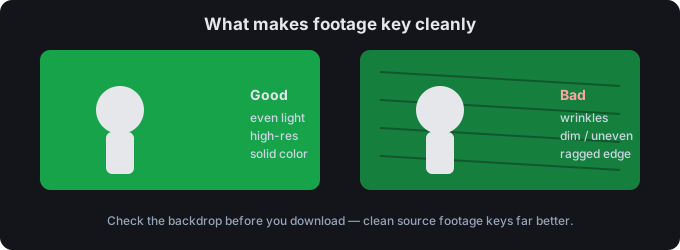
- Pick clean sources. An evenly lit, high-resolution clip keys far better than a dim, wrinkled one — check the backdrop before you download.
How to use green screen footage
- Download the clip. Save the footage you want to composite.
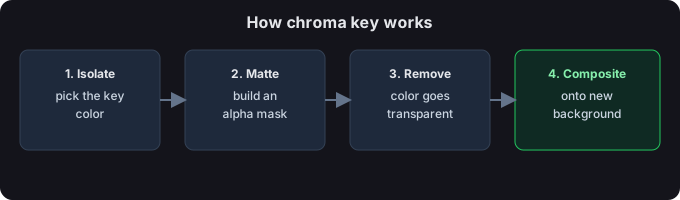
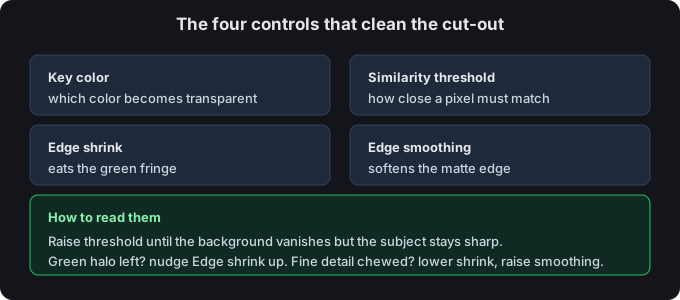
- Key the backdrop out. Drop it above, keep the green preset, and adjust Similarity threshold until the background disappears.
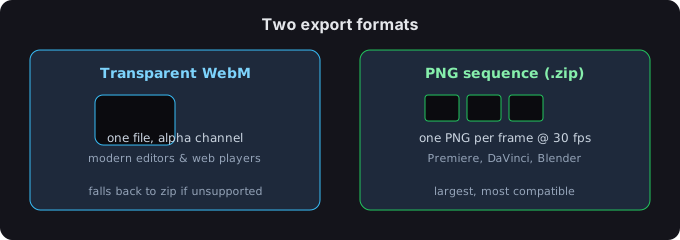
- Export. Save a transparent WebM or a PNG-sequence zip.
- Composite. Place your cut-out onto your own scene in your editor, or drop a template behind it.
Templates
A template is a finished background scene — a virtual studio, a map, a title card. You remove your subject's backdrop, then layer the cut-out over the template. It's the fast way to look produced without building the set yourself.
Remove the background — free, in your browser
For a quick key, skip the desktop suite: drop the clip above, keep the green preset, tune the threshold, and export a transparent result. Everything runs on your device.
Image or video?
Still image? You get a transparent PNG. Video? You get a transparent WebM or a PNG-sequence zip. Both are processed on your device — nothing is uploaded.
Tips for a clean edge
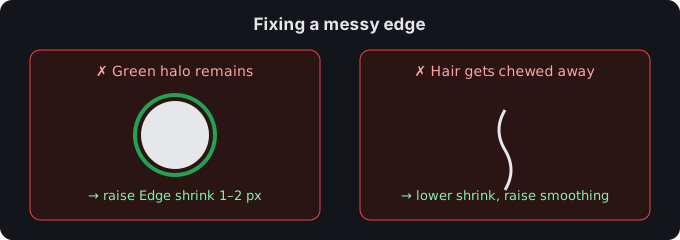
- If a green halo remains, nudge Edge shrink up by 1–2 px.
- If hair or fine detail gets chewed away, lower Edge shrink and raise Edge smoothing.
- You can click the preview to sample any color as the key — handy for uneven or lit backdrops.
Common questions
Where can I get free green screen footage?
Free stock libraries tag "green screen" clips — search the tag and check the license before any commercial use. Paid libraries add larger, curated catalogs.
What is a green screen template?
A pre-made background scene you place your keyed subject into, so you skip building the set from scratch — virtual studios, maps, and title cards are common examples.
Are my files uploaded?
No. Everything runs in your browser; we never receive your media.