Drop a green-screen image or video here, or
Tip: click anywhere on the preview to sample that color as the key color.
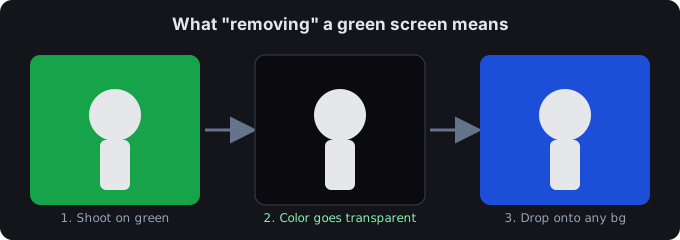
A green screen background remover strips the solid backdrop out of your shot and leaves a transparent cut-out. From there you can drop your subject onto a new background — a virtual set, a photo, a solid color, anything. (In video terms this is chroma key: green or blue is the "key" color being pulled out.)
How it works
- Open your image or video above.
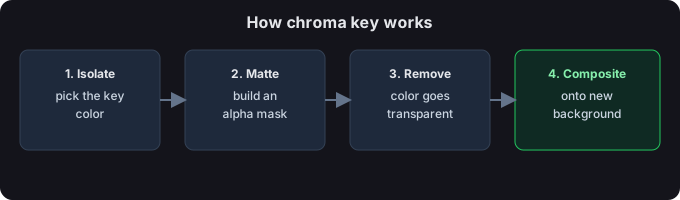
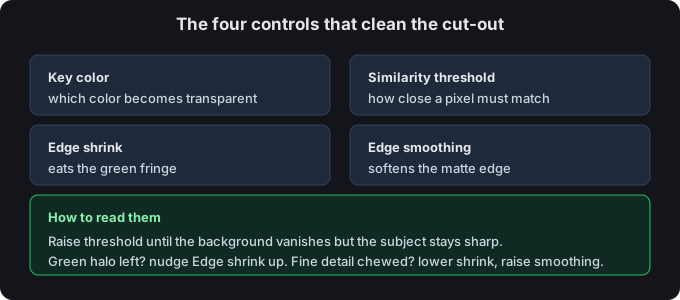
- The tool measures how close each pixel is to the key color. Pixels that match become transparent; everything else stays.
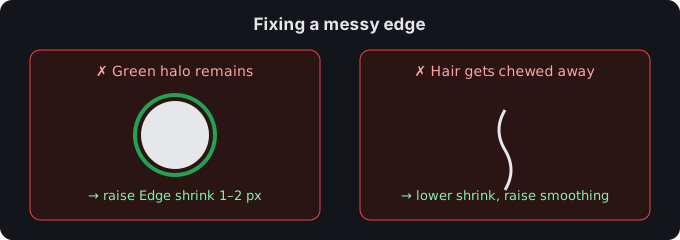
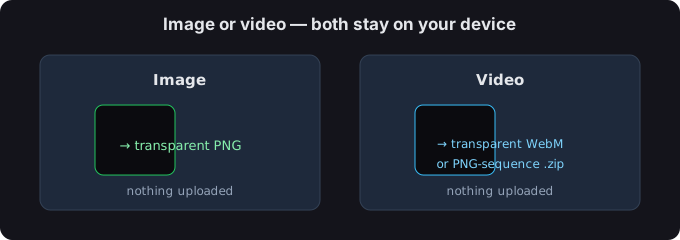
- Fine-tune with Similarity threshold, Edge shrink, and Edge smoothing, then export a transparent PNG or WebM.
Background remover vs background editor
"Remover" gives you the transparent cut-out. An editor is the next step: you place that cut-out onto a new backdrop. This tool does the removing; you can composite the result in any editor (or just leave it transparent for overlays and thumbnails).
What to do with the transparent result
- Lay it over a photo or gradient for a custom backdrop.
- Use it as a sticker, overlay, or product shot with no box behind it.
- Feed the PNG sequence into your video editor as a transparent layer.