Drop a green-screen image or video here, or
Tip: tap anywhere on the preview to sample that color as the key color.
Most pages that show up for green screen app point you to something you have to install first — a list of apps to download, or an app-store listing. This page is the other option: the tool is already on the screen. You don't install anything; you just use it. The whole cut-out runs in your phone's browser, and your file never leaves the device.
How to use it on your phone
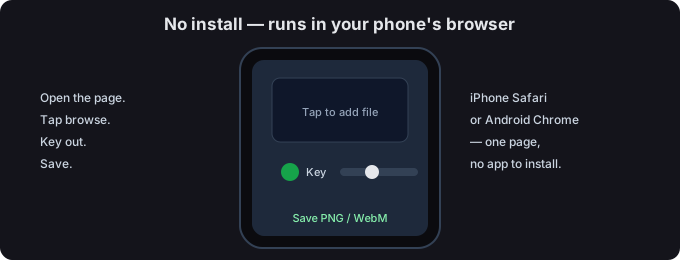
- Open this page. That's the whole setup — there is no app to find in a store. The tool above is live.
- Add your file. Tap browse and pick a green-screen photo or video from your phone, or drop it onto the box.
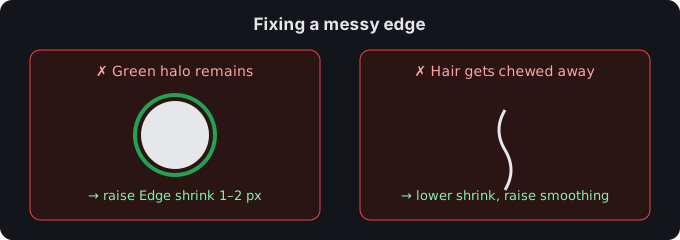
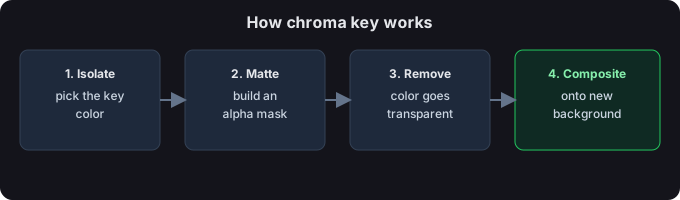
- Key out the background. Keep the green preset, then move Similarity threshold until the backdrop disappears but your subject stays sharp. Edge shrink cleans the green fringe; Edge smoothing softens the edge.
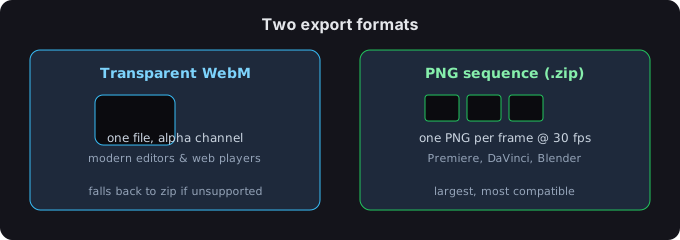
- Save. Images export as a transparent PNG; video exports as a transparent WebM or a PNG-sequence zip. That file is yours — there is nothing to install to get it.
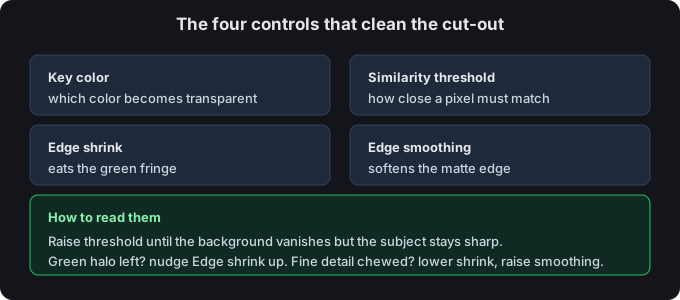
Image or video?
A still photo becomes a transparent PNG. A video becomes a transparent WebM or a PNG sequence. Both are processed on your device, so nothing is uploaded and there is no app to grant storage permission to.
Why a browser tool instead of an app
- No install. Nothing to download, no app-store account, no waiting for an update.
- Less clutter. You don't add another icon to your home screen just to key out one background.
- Private by design. The media is handled in your browser; we never receive it.
- Same phone, either system. It opens in Safari on iPhone and in Chrome on Android — no separate builds.
Common questions
Do I need to download a green screen app?
No. This page is the tool — open it in your phone's browser and start. There is no app to download and no store listing to hunt through.
Is there a green screen app for iPhone or Android?
You don't need a platform-specific one. This browser tool opens in Safari on iPhone and in Chrome on Android, so one page covers both. If you were about to install something just to remove a backdrop, try this first.
What's the best green screen app, then?
Before installing, weigh whether you even need an app. For a quick cut-out on the go, an in-browser tool like this one skips the install step entirely. If you later want a desktop workflow, the full green screen remover is the same engine on a bigger screen.
Are my files uploaded?
No. Everything runs in your browser; we never receive your media.
Related guides
- Remove a green screen — the plain how-to.
- Green screen for TikTok — the in-app effect, and how to key out a clip you already shot.
- Green screen for streaming — set it up for a Zoom or OBS call.
- Green screen background images — free solid-color backdrops to download.
- Remove green screen from an image
- Green screen remover — the Photoshop method