The shortest answer: the best green screen remover for most people is one that runs in your browser — you drop a file in, it turns the green transparent, and nothing is ever uploaded. Cloud editors like Picsart, OnlinePNGTools, and Sleek can also cut out green, but they ship your photo or video to their servers first. For a job this simple, sending your media to the cloud is the part you don't need.
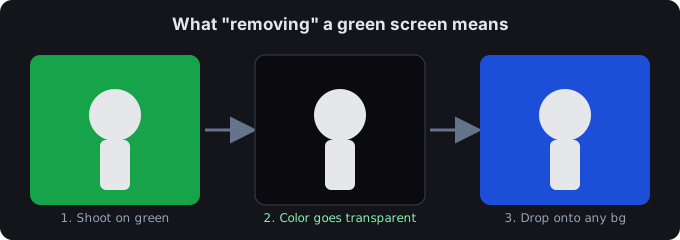
Why an in-browser remover wins
- Privacy by default. The matte is built with JavaScript/WebGL right on the page, so the file never touches a server — nothing to leak, nothing to store.
- No waiting on uploads. A 200 MB clip doesn't have to travel to a data center and back; it's processed where it already is.
- No account, no meter. Signup walls and "free tier" counters are how cloud tools nudge you to paid. A local tool just runs.
- Flat output. You get a transparent PNG or transparent WebM — the exact formats editors and game engines want — with no watermark.
The three cloud tools, in plain terms
These are the names you'll see ranked for "green screen remover," and each sits there for a different reason:
- Sleek (sleek.design) — the current #1. A newer site that climbed fast; strong on polish and a clean editor, lighter on raw privacy messaging.
- Picsart (picsart.com) — the highest-authority name of the three. A full design suite that happens to remove green; you trade simplicity for a much bigger app and an account.
- OnlinePNGTools (onlinepngtools.com) — the utility player. Fast, no-nonsense PNG tools; great if you live in PNG workflows, less so if you need video.
Side-by-side
| Factor | In-browser (this tool) | Cloud editors |
|---|---|---|
| File leaves your device? | No | Yes — uploaded to their server |
| Signup required | No | Usually yes for full features |
| Video support | Yes (transparent WebM / PNG seq) | Mixed; some are image-only |
| Watermark on free tier | None | Often yes |
| Best when | You want it done now, privately | You also need design/edit features |
When a cloud editor is the right call
If you're not just cutting out green but compositing, adding text, resizing for ten platforms, and collaborating, a suite like Picsart earns its place — the green removal is one step inside a bigger workflow. For the single job of "make this background disappear," the in-browser route is faster and keeps your file with you.
Common questions
Is an in-browser green screen remover really free?
Yes. Because the work happens on your device, there's no server cost to pass on, so there's no paywall to hide it behind. You can run it as many times as you want.
Do I have to upload my video anywhere?
No — that's the whole point. The frame never leaves the tab, which also means there's no upload step slowing you down on large files.
What format do I get back?
Images come back as a transparent PNG. Video comes back as a transparent WebM or a PNG-sequence zip — the two formats that keep the alpha channel intact for editing.
Will it work on my phone?
Yes. It's a web page, so the same tool runs in mobile browsers; for a tidier phone experience there's a dedicated green screen app version too.
Green or blue background — does it matter?
Either works; the tool keys out whatever color you sample. If you're choosing a backdrop from scratch, green vs blue breaks down which suits your subject and lighting.